OnePlan Events Academy

Free online training for OnePlan

Learn OnePlan, one short lesson at a time

Three courses take you from your first event plan to arrival and exit calculators. Work at your own pace, pass a short quiz and collect a digital certificate for each level.
Free to take32 short lessonsCertificate for every level
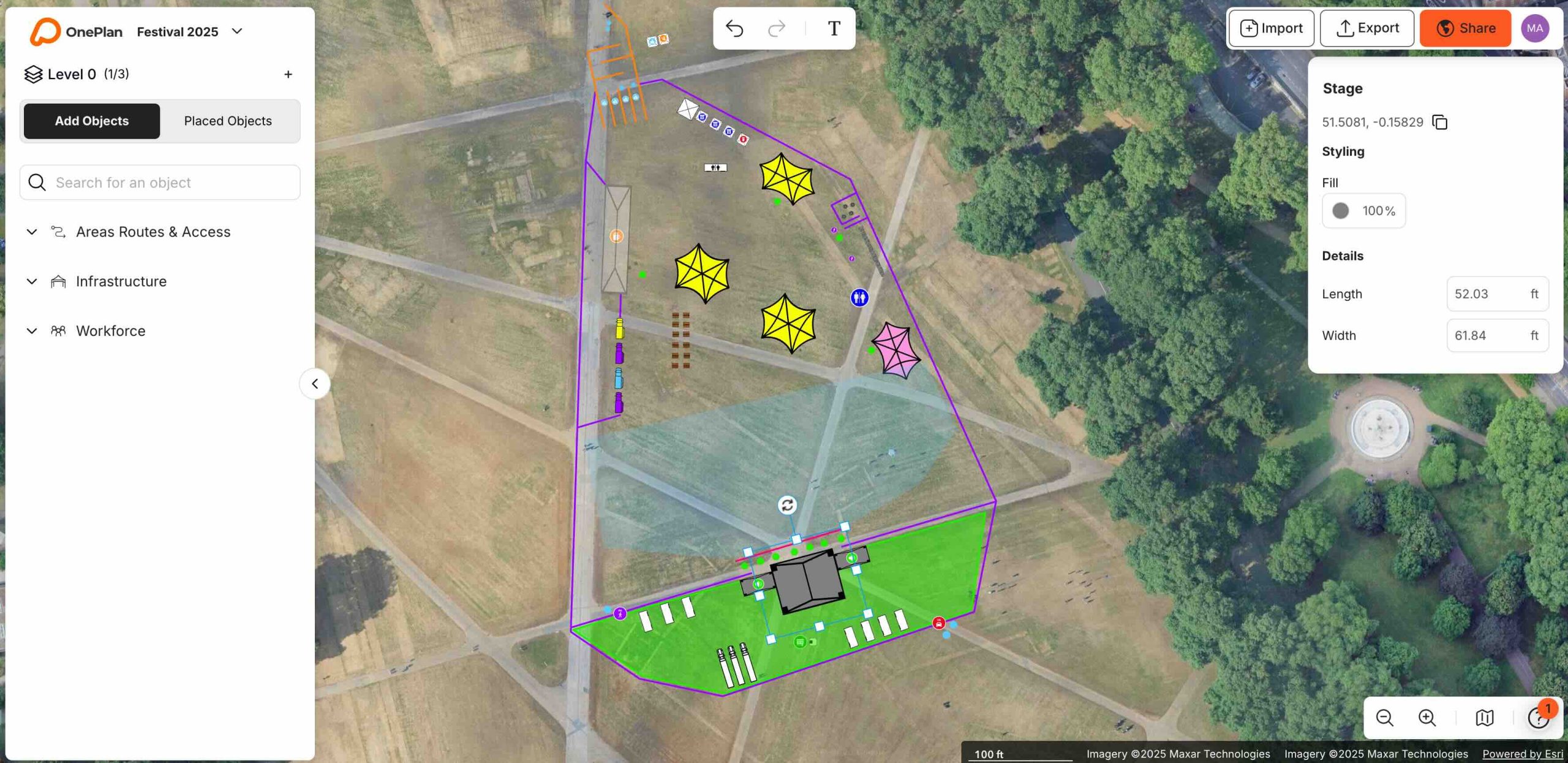
A festival site plan being built in OnePlan
3Courses
9Modules
32Lessons
3Digital certificates
Courses

Choose your level

Each level builds on the one before. Finish Foundation to unlock Professional, then move on to Expert.

Foundation Level badgeStart here

Foundation Level

Understand the workspace, build your first event and share it with your team.
  • 3 modules
  • 15 lessons
  • 1 quiz
  • Certificate
Start Foundation
Professional Level badgeAfter Foundation

Professional Level

Work faster with shapes, multiselect and labels, then export images, CSVs and legends and set up Teams.
  • 3 modules
  • 9 lessons
  • 1 quiz
  • Certificate
View course
Expert Level badgeAfter Professional

Expert Level

Line patterns, object packs, levels, CAD overlays and the arrival and exit calculators.

  • 3 modules
  • 8 lessons
  • 1 quiz
  • Certificate
View course
Curriculum

Nine modules, one path

The modules run in order across the three levels, so you always know what comes next.

Foundation

  1. Module 1Understanding the OnePlan workspace
  2. Module 2Building your first event
  3. Module 3Managing your event in OnePlan

Professional

  1. Module 4Using objects in your event
  2. Module 5Exports from OnePlan
  3. Module 6Using Teams in OnePlan

Expert

  1. Module 7Export object use
  2. Module 8Levels and overlays
  3. Module 9Arrival and exit calculators
How it works

Learn with OnePlan open beside you

Open OnePlan in a second tab

Each course asks you to log in to OnePlan next to the lessons, so you can try every step as you learn it.

Work through the modules

Lessons are short and each one covers a single feature. Your progress is saved, so you can pick up where you left off.

Pass the quiz, get your certificate

Answer a few simple questions at the end of the course and your digital certificate for that level is awarded.

Certificates

Show what you can do in OnePlan

Every level ends with a short quiz. Pass it and you receive a digital certificate to keep, share or add to your profile.

  • One certificate for each of the three levels
  • Awarded as soon as you answer the quiz correctly
  • Ready to share with your team or employer
SampleCertificate of completion

Foundation Level

Your name

has completed all modules and passed the Foundation Level quiz.

FAQ

Common questions

Is OnePlan Academy free?

Yes. All three courses are free to take.

Do I have to take the courses in order?

Professional unlocks once you have completed Foundation. Expert is designed to follow Professional, so the skills build up step by step.

Do I need a OnePlan account?

You log in to OnePlan in a separate browser tab and follow along as you learn. If you do not have an account yet, you can sign up on oneplan.io.

How do I get my certificate?

Answer the questions at the end of a course correctly and your digital certificate for that level is awarded.

Ready to plan your first event?

Start with the Foundation level. It takes you from the OnePlan dashboard to sharing a finished plan.